A resident's photo.
A coordinator's decision.
Already in the work order.
fixRAgent reads the photograph on a maintenance request and writes the answer where your team already works: what it is, how urgent, and which trade. One engine, one fixed shape, written into the work order's own fields.
- Recorded in our own Buildium sandbox
- Photographs from buildings we own
- No call required
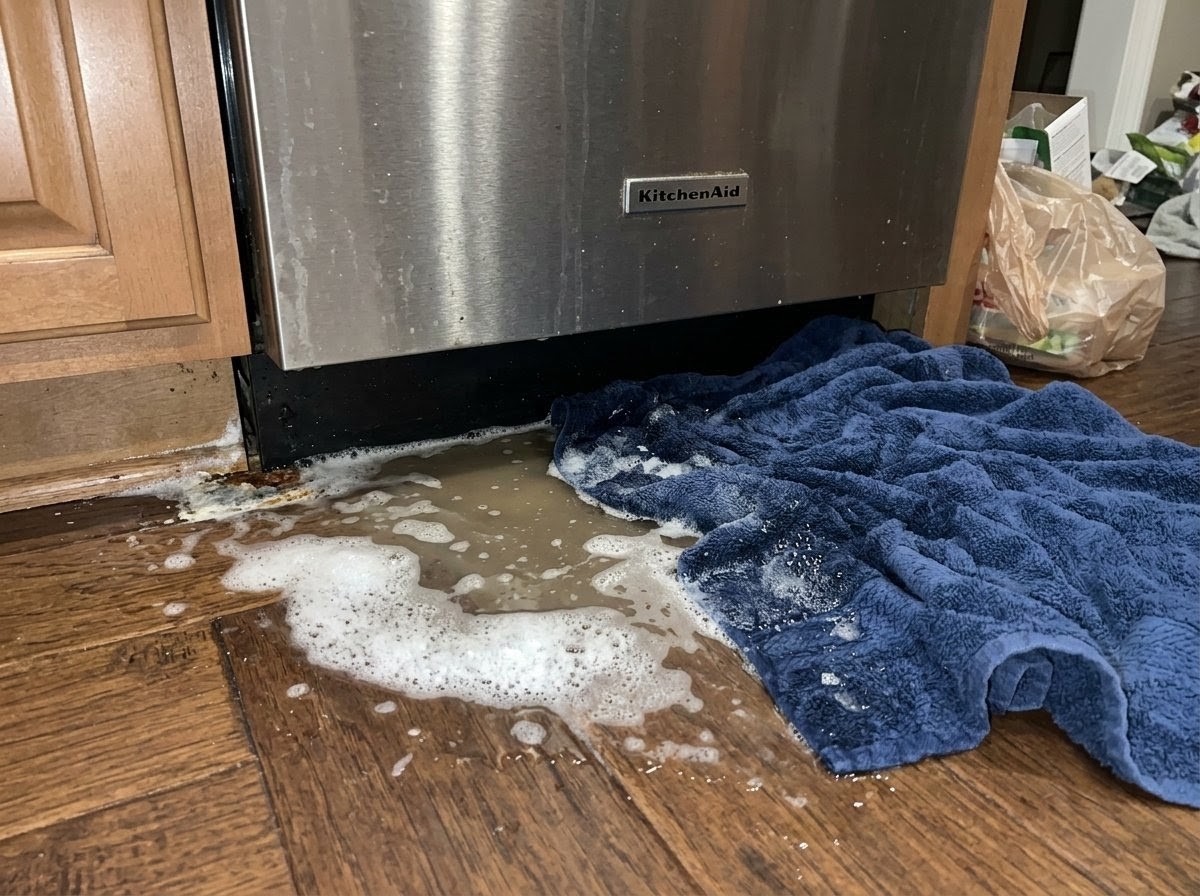
One recorded event · work order 4549 · EMERGENCY · Appliance Technician · Three passes. Same answer.
Pick a request. Watch three things land.
Four requests, photographed in buildings we own and written into our own Buildium sandbox on 18 September 2026. Every Triage Profile, payload and work order below is a read-back of the same recorded event. The unit numbers and the resident are staged; the photographs and the engine's answers are not.
Panel 01 is what your coordinator sees in the browser, including the sentence to send. Panel 02 is what crosses the wire. The sentence is composed on the page from the tier, the asset and the trade — if you integrate against the API, you compose it yourself.
choose a request
Or drop one of yours.
Any photograph from any building. The Triage Profile renders here, the payload beside it, and the third panel shows the fields the layer writes into a work order.
No sign-up · the photograph is not kept — we keep the answer and a hash of the file · AR Logic LLC · Privacy
your photo
It fits what you already run.
Three ways in, each run on a real photograph. Pick the one that matches your stack; the Triage Profile is the same on every rung.
Buildium, end to end.
On 18 September, four new work orders with a photo in our own Buildium each got the Triage Profile written into their own fields: urgency, trade, a safety flag, the agreement, a link to the Triage Profile, and a note in plain words. Titles, vendors, priorities and statuses were never touched.
Recorded: every field written was then read back equal — and a before-and-after read of the whole work order was equal, so nothing else moved.
See it on a real requestZendesk and Freshdesk — one Zapier step.
A new ticket in, the profile back as a comment. The fixRAgent step is built to sit between the trigger your tool already has and the note it already writes.
Built as a Zapier app; its step was run against our API with a real photograph. Zendesk and Freshdesk ship the “New Ticket” trigger and the “Add Comment / Add Note” action on Zapier.
Ask about the Zapier stepOne POST. One fixed JSON shape. Twenty core fields.
JavaScript and Python clients in one file each, an OpenAPI spec, a Postman collection, and an MCP tool so an agent can call it. Map the fields to your own work order and you are done.
Recorded: one call — the engine reads the photograph three times and must agree with itself before it answers. A key on request, below.
Read the contractA key, on request.
Enter an email and accept the API terms. A person on our team reads every request and sends the key to that address with a curl line that uses it. Sixty reads a day, on the same engine that wrote the work orders above.
the key and its curl line come by email
What your IT and legal ask for, answered.
The one-page security and data answer, the architecture, the sub-processors, retention and deletion, and live status. Written to be forwarded.
- The photograph is read by an automated model, never by a person at AR Logic. On the API path we keep the engine's answer and the hash of the cleaned file, not the photo.
- Inside Buildium we write one field group we add ourselves, and never change a title, description, vendor, priority or status. We read back every value we write; on the recorded work orders a before-and-after read of the whole work order was equal.
- Metadata is stripped on our server before anything else happens. Your Buildium key is sealed at rest, and it stops working the moment you delete it in your own account.
- Every reply that stops you names the limit and carries a Retry-After computed from the clock. Twenty requests an hour per address, sixty a day on a key, and a daily ceiling on our side.
Twenty minutes, your work orders on screen.
Offered, never required. A call is for the questions your stack raises that a page cannot answer.